AI Content Calendar Automation: Complete Guide to Scaling Content Production

Content marketing requires consistency, but consistency requires systems. According to the Content Marketing Institute, AI-powered content calendar automation transforms the chaos of content production into a predictable, scalable machine. This guide shows you how to build that machine—from planning through publication.
Whether you're a solo marketer or leading a content team, you'll learn to produce more content, higher quality, with less effort.
The Content Automation Opportunity
Where AI delivers the biggest content productivity gains
The Content Challenge
Without automation:
- Inconsistent publishing
- Last-minute scrambles
- Quality varies wildly
- Burnout and bottlenecks
- SEO opportunities missed
With automation:
- Predictable output
- Planned ahead
- Consistent quality
- Sustainable pace
- Strategic coverage
Automation Impact Areas
| Area | Manual Time | Automated Time | Savings |
|---|---|---|---|
| Topic research | 2-4 hours | 30 min | 75-85% |
| Content briefs | 1-2 hours | 15 min | 85-90% |
| First drafts | 4-8 hours | 1-2 hours | 70-80% |
| Image sourcing | 1-2 hours | 15 min | 85-90% |
| Publishing | 30-60 min | 5 min | 85-90% |
| Social promotion | 1-2 hours | 15 min | 85-90% |
1. Building Your Content Planning System
 The foundation of automated content production
Strategic Content Framework
Before automating, clarify:
Content pillars:
- What 3-5 topics define your expertise?
- How do they relate to buyer journey?
- What search intent do they serve?
Content types:
- Blog posts (SEO, thought leadership)
- Video content
- Social media
- Email content
- Downloadable assets
Publishing cadence:
- How often for each type?
- What's sustainable long-term?
- Where are the gaps?
Calendar Architecture
Annual level:
- Major campaigns
- Seasonal content
- Industry events
- Product launches
Quarterly level:
- Theme focus
- Content series
- Campaign alignment
- Capacity planning
Monthly level:
- Specific topics
- SEO targets
- Resource allocation
- Dependencies
Weekly level:
- Production schedule
- Publication dates
- Promotion plans
- Assignments
Tools for Calendar Management
Notion — Flexible Database
- Cost:
$8-15/user/month - Strengths: Custom databases, views, templates
- Best for: Teams wanting flexibility
Airtable — Spreadsheet Power
- Cost:
$10-20/user/month - Strengths: Database + automation
- Best for: Complex workflows
Monday.com — Visual Workflows
- Cost:
$9-19/user/month - Strengths: Visual, automations
- Best for: Team collaboration
Asana — Project Focus
- Cost:
$10.99-24.99/user/month - Strengths: Project management, workflows
- Best for: Marketing teams
2. Automated Topic Research
 AI-powered topic discovery and planning
AI-Assisted Topic Generation
Using Claude or ChatGPT:
Prompt template:
"I need content topics for [industry/niche]. Our content
pillars are [pillar 1, pillar 2, pillar 3]. Generate 20
blog post ideas that:
1. Target buyer-intent keywords
2. Address different funnel stages
3. Have search volume potential
4. Fit our expertise

For each, provide: topic title, primary keyword target,
search intent, funnel stage, and brief content angle."
Using Perplexity for trends:
"What emerging topics in [industry] are gaining search
interest? Identify trends from the last 3 months that
could become significant content opportunities."
SEO-Driven Topic Research
Semrush workflow:
- Topic Research tool → Enter seed topic
- Review cards and questions
- Export promising topics
- Keyword gap → Competitor comparison
- Prioritize by volume + difficulty
Ahrefs workflow:
- Content Explorer → Top content by topic
- Keywords Explorer → Related terms
- Content Gap → Competitor comparison
- Export and prioritize
Building Your Topic Database
Create a master topic list with:
| Topic | Keyword | Volume | Difficulty | Intent | Pillar | Priority |
|---|---|---|---|---|---|---|
| [Title] | [KW] | [Vol] | [KD] | [Intent] | [Pillar] | [P1-P5] |
Replenish quarterly:
- Add 20-30 new topics
- Archive completed
- Re-prioritize based on strategy
3. Automated Content Briefs
 AI-generated briefs that guide quality content
Brief Components
Every brief should include:
- Target keyword and secondaries
- Search intent analysis
- Content angle
- Outline/structure
- Competitor analysis
- Required elements
- Success metrics
AI Brief Generation
Prompt for comprehensive briefs:
"Create a detailed content brief for a blog post about
[topic]. Include:

1. PRIMARY KEYWORD: [keyword]
2. SEARCH INTENT: What does the searcher want?
3. TARGET AUDIENCE: Who is reading this?
4. CONTENT ANGLE: How should we approach this?
5. OUTLINE: Detailed H2 and H3 structure
6. KEY POINTS: Must-cover information
7. COMPETITOR ANALYSIS: What top 3 articles cover
8. UNIQUE VALUE: How ours will be different
9. WORD COUNT TARGET: Based on competitors
10. INTERNAL LINKS: Related content to link
11. EXTERNAL SOURCES: Authority sites to cite
12. CTA: What action should readers take?"
Surfer SEO Brief Generation
Automated workflow:
- Enter target keyword
- Surfer analyzes SERP
- Get NLP terms and structure
- Export brief to Google Docs
- Add your unique angle
Brief Templates
Save time with templates:
## Overview
- **Target Keyword:**
- **Secondary Keywords:**
- **Search Intent:**
- **Word Count:**
- **Author:**
- **Due Date:**

## Audience
[Who is this for?]

## Angle
[What's our unique take?]

## Outline

### H2: Introduction
- Hook
- Problem statement
- What reader will learn

### H2: [Section 1]
- Key point
- Supporting details
- Example

[Continue structure...]

### H2: Conclusion
- Key takeaways
- CTA

## SEO Requirements
- Primary keyword in title, H1, first 100 words
- Secondary keywords naturally included
- [NLP terms from Surfer/Clearscope]

## Links
- **Internal:** [List relevant posts]
- **External:** [Authority sources]

## Visuals
- Hero image
- [X] section images
- [Charts/graphics if applicable]

## Notes
[Any specific requirements]
4. AI Content Generation Workflow
 From brief to draft efficiently
The Hybrid Approach
Don't generate entire posts. Generate components:
- Outline expansion — AI drafts sections from outline
- First draft — Human shapes and connects
- Enhancement — AI adds examples, data, depth
- Editing — Human polishes and personalizes
- Optimization — AI checks SEO, readability
Section-by-Section Generation
For each H2 section:
"Write the content for this section of a blog post:

SECTION TITLE: [H2]
CONTEXT: This is part of an article about [topic]
PRECEDING SECTION: [Brief summary of what came before]
FOLLOWING SECTION: [Brief summary of what comes next]
KEY POINTS TO COVER:
- [Point 1]
- [Point 2]
- [Point 3]
LENGTH: ~300-400 words
TONE: [Professional, conversational, etc.]
INCLUDE: [Specific examples, data, quotes if needed]"
Quality Control Prompts
After generation:
"Review this section for:
1. Accuracy of claims
2. Logical flow
3. Missing information
4. Unclear passages
5. Redundancy

Flag any issues and suggest improvements."
SEO check:
"Check this content against this keyword [keyword].
Score from 1-10 on: keyword presence, related terms,
comprehensiveness, readability. Suggest improvements."
Batch Processing
For efficiency:
- Generate all briefs for the month
- Batch outline creation
- Batch first drafts
- Batch editing sessions
- Batch publication prep
This creates predictable workstreams versus constant context-switching.
5. Image and Visual Automation
 Streamlining image creation and sourcing
AI Image Generation
Midjourney for hero images:
"A professional, minimalist photograph of [subject] in
modern office setting, soft natural lighting, clean
background, [brand color] accent elements, editorial
style --ar 16:9 --v 6"
DALL-E for quick variations:
- Faster iteration
- Edit existing images
- Multiple concepts rapidly
Canva AI for branded graphics:
- Brand kit integration
- Template consistency
- Quick social versions
Stock Image Workflow
Automate sourcing:
- Define image types per section
- Use AI to suggest search terms
- Batch download from Unsplash/stock sites
- Organize in asset library
- Quick selection at writing time
Image Organization System
/content-assets
  /[year]-[month]
    /[post-slug]
      hero.jpg
      section-1.jpg
      section-2.jpg
      ...
Name convention:
hero-[keyword].jpgsection-[number]-[description].jpgsocial-[platform].jpg
6. Publishing Automation
 From draft to live without bottlenecks
CMS Integration
WordPress + automation:
- CoSchedule for scheduling
- Yoast for SEO checklist
- Make/Zapier for cross-posting
Headless CMS + automation:
- API-based publishing
- Multi-platform from single source
- Automated builds
Pre-Publish Checklist Automation
Create automated checklist:
- Title tag optimized (under 60 chars)
- Meta description written (under 160 chars)
- Focus keyword in URL
- Featured image set
- All images have alt text
- Internal links added
- External links working
- Categories/tags assigned
- Author set
- Publication time scheduled
Automate checks:
- Screaming Frog or similar for technical
- Grammarly for writing
- Surfer/Clearscope for SEO
Scheduling Strategy
Optimal publishing times:
- B2B: Tuesday-Thursday, 9-11 AM
- B2C: Varies by audience
- Social: Platform-specific peaks
Automation approach:
- Schedule posts 1-2 weeks ahead
- Social scheduling at publish time
- Email promotion on schedule
7. Social Media Automation
 Extending content reach automatically
Content-to-Social Workflow
For each blog post, generate:
- Twitter/X thread (5-7 tweets)
- LinkedIn post (long-form)
- Instagram caption + carousel
- Facebook post
- Pinterest description
AI Social Generation
Thread prompt:
"Turn this blog post into a Twitter thread:

[Paste article]

Thread requirements:
- Hook tweet that creates curiosity
- 5-7 tweets that share key insights
- Each tweet standalone valuable
- Final tweet links to full article
- Thread feels conversational, not promotional"
LinkedIn prompt:
"Create a LinkedIn post promoting this article:

[Paste summary]

Requirements:
- Personal perspective hook
- Key insight from the article
- Question to prompt engagement
- Link at end
- ~200-300 words
- 2-3 line breaks for readability"
Scheduling Automation
Buffer/Hootsuite workflow:
- Generate all social for the week
- Upload to scheduling tool
- Set optimal times
- Enable auto-scheduling
- Review and adjust
Make/Zapier automation:
Trigger: New WordPress post published
↓
Action: Create Buffer posts for all platforms
↓
Action: Add to social tracking spreadsheet
↓
Action: Send Slack notification to team
8. Content Repurposing Engine
 Multiply the value of every piece of content
Repurposing Matrix
From one blog post, create:
| Format | Use Case | Effort |
|---|---|---|
| Social posts (5-10) | Reach | Low |
| Email newsletter | Subscribers | Low |
| LinkedIn article | B2B reach | Medium |
| Slide deck | Sales/webinars | Medium |
| YouTube script | Video audience | Medium |
| Podcast talking points | Audio audience | Low |
| Infographic | Visual learners | Medium |
| Twitter thread | Engagement | Low |
| Quora answers | Q&A traffic | Low |
| Guest post variation | Link building | High |
Automated Repurposing
AI prompt for slides:
"Convert this article into a 10-slide presentation:

[Article text]

Requirements:
- Slide 1: Title and hook
- Slides 2-8: Key points (one per slide)
- Slide 9: Summary
- Slide 10: CTA
- Each slide: headline + 3-4 bullet points
- Speaker notes for each slide"
AI prompt for email:
"Create an email newsletter based on this article:

[Article text]

Requirements:
- Subject line (A/B options)
- Preview text
- Personal intro (2 sentences)
- 3 key takeaways as bullets
- CTA to read full article
- P.S. with bonus insight
- ~150-200 words total"
Repurposing Workflow
Weekly repurposing session:
- Identify top-performing content
- Generate repurposed formats
- Schedule across channels
- Track performance by format
- Double down on what works
9. Performance Tracking Automation
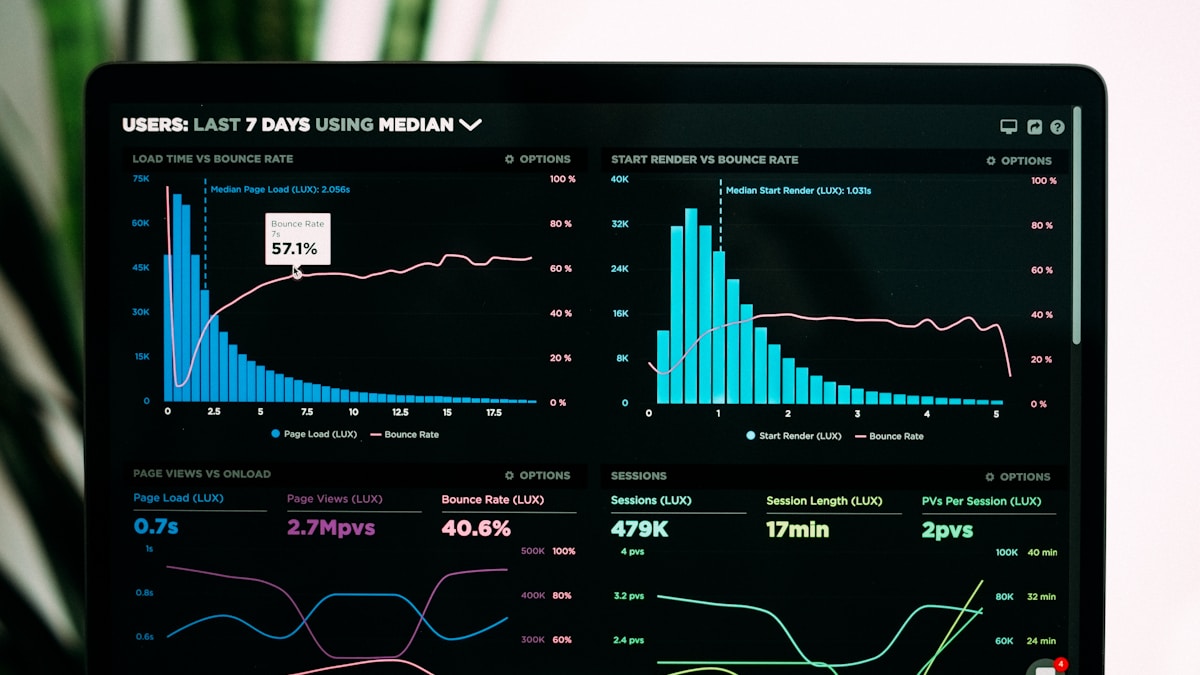 Automated reporting on content performance
Key Metrics to Track
Per-content metrics:
- Organic traffic
- Keyword rankings
- Time on page
- Bounce rate
- Conversions
- Social shares
Portfolio metrics:
- Total organic traffic
- Keyword growth
- Content gaps filled
- Publishing consistency
- Content ROI
Automated Tracking Setup
Google Analytics 4 + Looker Studio:
- Create content performance dashboard
- Filter by content type/category
- Set up automated email reports
- Configure custom alerts
Google Search Console automation:
- Weekly ranking reports
- New keyword alerts
- Performance trend tracking
Content Scorecard
Monthly automated report:
## Publishing Metrics
- Posts published: X (target: Y)
- On-time publishing: X%
- Content types: Blog X, Video X, Social X

## Performance Metrics
- Organic sessions from new content: X
- Top performing post: [Title] - X sessions
- Keywords improved: X
- New keywords ranked: X

## Engagement
- Avg time on page: X min
- Avg bounce rate: X%
- Social shares: X

## Conversion
- Leads from content: X
- Conversion rate: X%
- Revenue attributed: $X

## Next Month Focus
- [Priority 1]
- [Priority 2]
10. Building Your Automation Stack
 The tools that power content automation
Starter Stack ($100-200/month)
Tools:
- Claude Pro (
$20) - Notion (
$8) - Surfer SEO Essential (
$69) - Buffer Free → Pro (
$15) - Canva Pro (
$12)
Capabilities:
- AI content assistance
- Calendar management
- SEO optimization
- Social scheduling
- Visual creation
Growth Stack ($300-500/month)
Tools:
- Claude Pro + API (~
$50) - Notion or Airtable (
$20) - Surfer SEO Scale (
$119) - Buffer or Hootsuite Team (
$100) - Midjourney (
$30) - Make Pro (
$29) - Semrush (
$119)
Additional capabilities:
- Workflow automation
- Competitive research
- AI images
- Better social tools
Enterprise Stack ($1,000+/month)
Tools:
- Jasper Teams (
$500+) - Monday.com Enterprise
- Clearscope (
$350) - Sprout Social (
$249+) - Custom integrations
- Dedicated video tools
Capabilities:
- Team collaboration at scale
- Advanced SEO
- Comprehensive social
- Full automation
11. Team Workflows and Roles
 How teams divide AI-assisted content work
Role Definitions
Content Strategist:
- Keyword research
- Topic prioritization
- Calendar planning
- Performance analysis
Content Creator:
- Brief development
- AI-assisted drafting
- Human editing
- Visual creation
Editor:
- Quality control
- SEO optimization
- Brand consistency
- Final approval
Publisher:
- CMS management
- Technical SEO
- Publishing schedule
- Distribution
Workflow Handoffs
Strategy → Creation:
- Brief document
- Target metrics
- Timeline
- Resources
Creation → Editing:
- Draft document
- Research sources
- Visuals prepared
- Self-edit complete
Editing → Publishing:
- Approved draft
- All media
- Metadata
- Schedule
Publishing → Distribution:
- Live URL
- Social assets
- Email copy
- Tracking setup
Async Communication
For remote teams:
- Loom for feedback
- Document comments
- Slack channels by function
- Weekly sync meetings
- Automated status updates
12. Measuring Automation ROI
 Proving the value of your automation investment
Time Savings Calculation
Before automation:
| Task | Hours/Week |
|---|---|
| Topic research | 4 |
| Brief creation | 3 |
| Writing | 12 |
| Editing | 4 |
| Publishing | 2 |
| Social | 3 |
| Total | 28 hours |
After automation:
| Task | Hours/Week |
|---|---|
| Topic research | 1 |
| Brief creation | 0.5 |
| Writing | 4 |
| Editing | 3 |
| Publishing | 0.5 |
| Social | 0.5 |
| Total | 9.5 hours |
Savings: 18.5 hours/week (66%)
Quality Improvements
Measurable gains:
- SEO score improvement
- Keyword ranking increases
- Traffic growth
- Engagement improvements
Track before/after:
- Average content score
- Time to first ranking
- Organic traffic per post
- Social engagement rate
Full ROI Calculation
Monthly automation costs: `$400`
Time saved: 74 hours/month
Value of time (at `$50`/hr): `$3,700`
Net savings: `$3,300`/month

OR

Content output increase: 2x
Previous cost per post: `$500`
New cost per post: `$250`
Savings per additional post: `$250`
Extra posts per month: 8
Additional savings: `$2,000`
Conclusion: Automation as Competitive Advantage
Content automation isn't about replacing creativity—it's about removing friction so creativity can flourish. The marketers who master these systems produce more content, better content, faster content.
Key takeaways:
- Start with systems: Calendar and workflow before tools
- Automate research first: Biggest time savings, low risk
- Human-AI hybrid wins: AI drafts, humans finish
- Batch everything: Context-switching kills efficiency
- Measure ruthlessly: Prove ROI, optimize continuously
The future belongs to marketers who work with AI, not against it.
Ready to build your stack? Check our AI marketing agency tools guide for comprehensive tooling, or explore our AI competitor analysis guide for research automation.
Tools and workflows current as of February 2026.
More Articles

A/B Testing Your Email Campaigns: Statistical Significance Guide
Master A/B testing for email marketing with this guide to statistical significance, sample sizes, and avoiding common testing mistakes.

Best Email Marketing Automation Platforms for 2026
Compare the top email marketing automation platforms in 2026. Find the perfect solution for your business with our comprehensive guide.

How to Build Customer Journeys That Convert
Learn how to design and implement customer journeys that guide prospects from awareness to purchase with marketing automation best practices.