HubSpot vs Mailchimp 2026: Complete Marketing Platform Comparison

Choosing between HubSpot and Mailchimp determines your marketing capabilities for years. HubSpot offers comprehensive marketing automation and CRM starting at $20/month, while Mailchimp provides simple email marketing from $0 but charges $350+ for comparable features.
This complete 2026 comparison helps you choose the right platform based on your business size, budget, and marketing sophistication.
Quick Comparison Overview
Both platforms serve different business needs and budgets
| Feature | Mailchimp | HubSpot |
|---|---|---|
| Starting Price | $0 (up to 500 contacts) | $20/month (up to 1,000 contacts) |
| Best For | Small businesses, simple email | Growing businesses, full marketing |
| Email Marketing | Excellent | Excellent |
| Marketing Automation | Limited (Standard+) | Comprehensive (Professional+) |
| CRM | Basic | Full-featured (included free) |
| Landing Pages | Yes (limited) | Yes (comprehensive) |
| Learning Curve | Easy | Moderate |
| Scalability | Limited | Excellent |
Mailchimp: The Email Marketing Specialist
 Mailchimp excels at email marketing for small businesses
Pricing Structure
Free Plan:
- Up to 500 contacts
- 1,000 monthly email sends
- Basic email templates
- Marketing CRM
- Forms and landing pages (1)
- Website builder (1 site)
- Cost: $0
Essentials Plan:
- Up to 500 contacts: $13/month
- 5,000 contacts: $69/month
- 10,000 contacts: $115/month
- Remove Mailchimp branding
- A/B testing
- 24/7 email & chat support
- 3 landing pages
Standard Plan:
- 500 contacts: $20/month
- 5,000 contacts: $105/month
- 10,000 contacts: $175/month
- Behavioral targeting
- Custom-coded templates
- Predictive segmentation
- Send time optimization
- 5 landing pages
Premium Plan:
- 10,000 contacts: $350/month
- Advanced segmentation
- Multi-variate testing
- Comparative reporting
- Unlimited landing pages
- Phone support
Core Features
Email marketing:
- Drag-and-drop email builder
- 100+ templates
- Personalization
- A/B testing (Essentials+)
- Send time optimization (Standard+)
- Advanced segmentation (Standard+)
Automation:
- Welcome series
- Abandoned cart (with integrations)
- Birthday/anniversary
- Re-engagement campaigns
- Custom journeys (Standard+)
Marketing CRM:
- Contact management
- Audience dashboard
- Purchase tracking (with e-commerce integration)
- Basic segmentation
Analytics:
- Email performance (opens, clicks, etc.)
- Audience insights
- Comparative reports (Premium)
- Revenue tracking (with e-commerce)
Integrations:
- 300+ pre-built integrations
- Shopify, WooCommerce, BigCommerce
- WordPress, Squarespace
- Facebook Ads, Google Ads
- Zapier for custom connections
Pros and Cons
Pros: ✅ Free plan available (great for testing/startups) ✅ Very easy to use ✅ Excellent email deliverability ✅ Strong e-commerce integrations ✅ Affordable for basic email marketing ✅ Beautiful templates
Cons: ❌ Limited marketing automation (compared to HubSpot) ❌ Basic CRM capabilities ❌ Expensive at scale (Premium plan $350+) ❌ Limited landing page builder ❌ No built-in SEO or content management ❌ Customer support quality inconsistent
Best for: Small businesses focused primarily on email marketing, e-commerce businesses, startups with limited budgets.
HubSpot: The Full Marketing Platform
 HubSpot provides comprehensive marketing automation and CRM
Pricing Structure
Free Tools:
- Up to 1 million contacts
- Email marketing (2,000 sends/month)
- Forms and landing pages
- Live chat and chatbots
- Contact and company insights
- Cost: $0
Marketing Hub Starter:
- $20/month (up to 1,000 contacts)
- 1,000 marketing contacts
- Email marketing (5x email send limit)
- Forms and landing pages (no HubSpot branding)
- Basic automation
- Ad management
Marketing Hub Professional:
- Starting at $890/month (2,000 marketing contacts)
- Marketing automation
- SEO recommendations
- Social media tools
- Campaign reporting
- Custom reporting
- A/B testing
- Multi-language content
Marketing Hub Enterprise:
- Starting at $3,600/month (10,000 marketing contacts)
- Advanced automation
- Predictive lead scoring
- Custom objects
- Teams and hierarchies
- Single sign-on (SSO)
Note: "Marketing contacts" = contacts you're actively marketing to. You can store unlimited contacts but only pay for those you email/target.
Core Features
Email marketing:
- Drag-and-drop builder
- Smart content (personalize by contact properties)
- A/B testing
- Send time optimization
- Detailed analytics
- SPAM score checker
Marketing automation:
- Workflow builder
- Lead scoring
- Progressive profiling
- Behavioral triggers
- Multi-channel workflows (email + SMS + tasks)
- Branch logic
CRM (included free):
- Contact, company, deal management
- Pipeline visualization
- Task automation
- Email tracking
- Call tracking
- Meeting scheduling
Content management:
- Landing pages (unlimited)
- Website hosting (CMS Hub, separate product)
- Blog
- SEO recommendations
- Content strategy tools
Lead generation:
- Forms
- Pop-ups
- Live chat
- Chatbots
- Lead capture
- Progressive profiling
Analytics:
- Campaign attribution
- Multi-touch revenue attribution (Professional+)
- Custom dashboards
- Traffic analytics
- Conversion path analysis
Integrations:
- 1,400+ integrations in App Marketplace
- Salesforce, Microsoft Dynamics
- WordPress, Shopify, Stripe
- Zoom, Slack, Google Workspace
- Deep API for custom integrations
Pros and Cons
Pros: ✅ Comprehensive all-in-one platform ✅ Powerful CRM included (even in free plan) ✅ Advanced marketing automation ✅ Excellent scalability ✅ Strong support and training resources ✅ Best-in-class reporting and analytics ✅ Active community and ecosystem
Cons: ❌ Expensive at scale ($890+ for advanced features) ❌ Steeper learning curve ❌ Can be overwhelming for simple needs ❌ Professional plan is big jump from Starter ❌ Some features only in higher tiers
Best for: Growing businesses, B2B companies, businesses wanting comprehensive marketing + sales + service platform, companies prioritizing scalability.
Feature-by-Feature Comparison
 Deep dive into specific feature capabilities
Email Marketing
Mailchimp:
- Excellent email builder
- Beautiful templates
- Strong deliverability
- Limited personalization (Standard+)
- A/B testing (Essentials+)
HubSpot:
- Excellent email builder
- Good templates
- Strong deliverability
- Advanced personalization (Smart Content)
- A/B testing (all plans)
- Integration with CRM data
Winner: Tie—both excel, Mailchimp slightly easier, HubSpot more powerful
Marketing Automation
Mailchimp:
- Basic automation (all plans)
- Pre-built journeys
- Limited conditional logic
- No lead scoring
- Customer journeys (Standard+)
HubSpot:
- Advanced workflow builder (Professional+)
- Complex conditional logic
- Lead scoring
- Multi-channel automation
- Progressive profiling
- Enrollment triggers
Winner: HubSpot—significantly more powerful automation
CRM Capabilities
Mailchimp:
- Contact management
- Basic audience insights
- Purchase tracking (with integrations)
- No deal/pipeline management
- No sales features
HubSpot:
- Full CRM (contacts, companies, deals)
- Pipeline management
- Sales automation
- Email tracking and notifications
- Meeting scheduling
- Task management
- Free for unlimited contacts
Winner: HubSpot—not even close. Mailchimp's "CRM" is contact management, not a true CRM.
Landing Pages
Mailchimp:
- Limited templates
- Basic customization
- 1 page (Free), 3-5 (paid plans)
- Mobile-responsive
- Form integration
HubSpot:
- Extensive template library
- Advanced customization
- Unlimited pages (all paid plans)
- A/B testing
- Smart content
- SEO recommendations
Winner: HubSpot—more powerful, unlimited pages
Reporting and Analytics
Mailchimp:
- Email performance reports
- Audience insights
- Revenue tracking (with e-commerce)
- Comparative reports (Premium)
- Limited custom reporting
HubSpot:
- Comprehensive email analytics
- Campaign attribution
- Traffic and conversion analytics
- Custom dashboards
- Multi-touch attribution (Professional+)
- Revenue reporting
Winner: HubSpot—enterprise-grade analytics
Ease of Use
Mailchimp:
- Very intuitive interface
- Minimal learning curve
- Great for beginners
- Limited when you need advanced features
HubSpot:
- More complex interface
- Moderate learning curve
- Comprehensive Academy training
- Can be overwhelming initially
Winner: Mailchimp—significantly easier for beginners
Integrations
Mailchimp:
- 300+ integrations
- Strong e-commerce focus
- Zapier for custom connections
- Limited depth
HubSpot:
- 1,400+ integrations
- Deep integrations (two-way sync)
- Robust API
- Developer ecosystem
Winner: HubSpot—more integrations, deeper functionality
For more on marketing automation, see our AI marketing automation guide.
Pricing Comparison by Business Size
 Cost analysis across different business sizes
Scenario 1: Startup (500 contacts, basic email)
Mailchimp Free:
- Cost: $0/month
- Features: Basic email, 1,000 sends/month
HubSpot Free:
- Cost: $0/month (or Starter $20/month)
- Features: Email (2,000 sends), CRM, forms, landing pages
Winner: HubSpot Free (more features) or Mailchimp Free (simpler)
Scenario 2: Small Business (2,500 contacts, automation needed)
Mailchimp Standard:
- Cost: ~$90/month (2,500 contacts)
- Features: Email, basic automation, segmentation
HubSpot Starter:
- Cost: $20/month (1,000 marketing contacts)
- Note: If targeting all 2,500, need Professional
- Features: Email, basic automation, full CRM
Winner: Mailchimp (more affordable if emailing everyone) HubSpot wins if: Only actively marketing to subset of contacts
Scenario 3: Growing Company (5,000 contacts, advanced features)
Mailchimp Standard:
- Cost: ~$105/month
- Features: Email, automation, segmentation
Mailchimp Premium (for advanced features):
- Cost: $350/month (10,000 contact tier)
- Features: All Standard + advanced segmentation, phone support
HubSpot Professional:
- Cost: $890/month (2,000 marketing contacts)
- To market to all 5,000: ~$1,200/month
- Features: Full marketing automation, CRM, landing pages, SEO, analytics
Winner: Depends
- Mailchimp: If only need email marketing ($105-350/month)
- HubSpot: If need full marketing platform ($890-1,200/month)
Break-even: If you're paying for multiple tools (email + CRM + landing pages + analytics), HubSpot's all-in-one may cost less
Scenario 4: Enterprise (25,000+ contacts)
Mailchimp Premium:
- Cost: $700-1,000+/month depending on contacts
HubSpot Professional/Enterprise:
- Cost: $3,200+/month
- Features: Enterprise marketing automation, advanced analytics, predictive lead scoring
Winner: HubSpot (Mailchimp doesn't scale well to enterprise needs)
Use Case Recommendations
 Choosing the right platform for your business needs
Choose Mailchimp If:
✅ You're an e-commerce business focused on email campaigns ✅ You have under 5,000 contacts and simple needs ✅ You only need email marketing (no CRM, automation, or landing pages required) ✅ You want dead-simple interface ✅ Budget is very limited ($0-100/month) ✅ You're a blogger/content creator with email list
Example: Etsy seller sending weekly newsletters to 2,000 subscribers
Choose HubSpot If:
✅ You need a true CRM for managing leads and deals ✅ You want marketing automation (lead nurturing, scoring, workflows) ✅ You're B2B with longer sales cycles ✅ You need landing pages and forms frequently ✅ Analytics and reporting are important ✅ You plan to scale significantly ✅ You want an all-in-one platform (consolidate multiple tools)
Example: SaaS company nurturing leads through multi-touch campaigns before sales handoff
For more on AI content generation, see our AI content tools guide.
Migration Considerations
 Key considerations when switching marketing platforms
Mailchimp → HubSpot:
- HubSpot offers free migration assistance
- Contacts, lists, and email templates migrate
- Historical email performance data limited
- Automation needs rebuilding
- Timeline: 1-2 weeks
HubSpot → Mailchimp:
- More complex (HubSpot is richer)
- Contacts and lists export easily
- Automation significantly reduced
- CRM data doesn't transfer
- Timeline: 2-4 weeks
- Warning: Losing significant functionality
Hybrid Approach
 Combining multiple platforms for specific needs
Is it possible to use both?
Yes, but usually not recommended:
Option 1: HubSpot Free CRM + Mailchimp Paid Email
- Use HubSpot for CRM and lead management
- Use Mailchimp for email campaigns
- Pro: Get best email tool + free CRM
- Con: Disconnected systems, manual work
Option 2: HubSpot Paid + Mailchimp for specific campaigns
- Uncommon, but some use Mailchimp for specific e-commerce automation
- Pro: Best-of-breed for specific needs
- Con: Expensive, complex, redundant
Recommendation: Pick one platform to avoid complexity and costs
Alternatives to Consider
 Other options worth evaluating
If neither fits perfectly:
ActiveCampaign:
- Middle ground between Mailchimp and HubSpot
- Strong automation, affordable
- $29-149/month
ConvertKit:
- Creator-focused (bloggers, coaches)
- Simple automation
- $15-79/month
Sendinblue (Brevo):
- Email + SMS
- Affordable
- $25-65/month
For more marketing tools, see our landing page builders comparison.
Final Recommendations
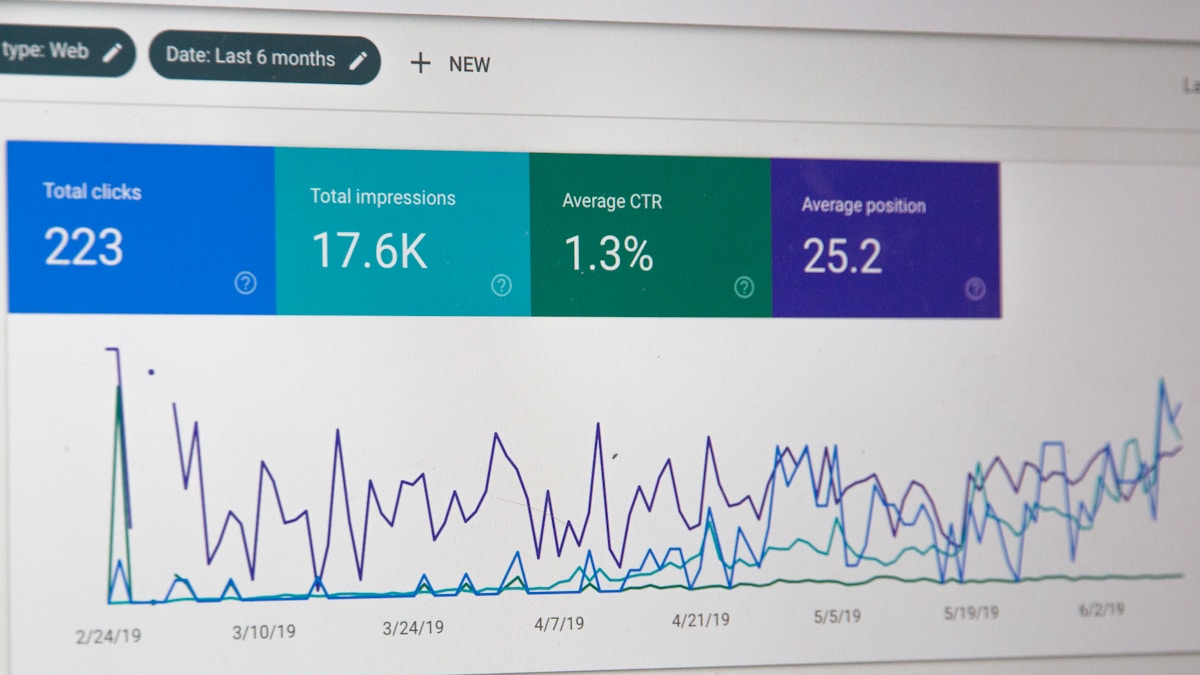 Our recommendations based on business needs
Best for most small businesses: Mailchimp
- Start with Free plan
- Upgrade to Standard ($20-105/month) when you need automation
- Switch to HubSpot when you outgrow Mailchimp's capabilities
Best for growing/mid-market businesses: HubSpot
- Start with Free or Starter ($20/month)
- Upgrade to Professional ($890/month) when you need advanced automation
- Platform grows with you
Best for enterprises: HubSpot Enterprise
- Comprehensive platform
- Scales to massive operations
- Consolidates multiple point solutions
The decision framework:
- Budget under $100/month? → Mailchimp
- Need CRM? → HubSpot
- E-commerce only? → Mailchimp
- B2B with sales team? → HubSpot
- Simple email campaigns? → Mailchimp
- Marketing automation critical? → HubSpot
The bottom line: Mailchimp is the email marketing specialist that's easy and affordable for small businesses. HubSpot is the comprehensive marketing platform for companies that need CRM, automation, and scalability. Most businesses start with Mailchimp and graduate to HubSpot as they grow.
Additional Resources
 Further reading and tools
Official Resources:
- HubSpot Marketing Hub - Product information
- Mailchimp - Email marketing platform
- HubSpot vs Mailchimp Calculator - Price comparison tool
Learning Resources:
- HubSpot Academy - Free certification courses
- Mailchimp Knowledge Base - Help documentation
Related Guides:
Choose the platform that fits your current needs while supporting your growth—and watch your marketing effectiveness soar.
More Articles

A/B Testing Your Email Campaigns: Statistical Significance Guide
Master A/B testing for email marketing with this guide to statistical significance, sample sizes, and avoiding common testing mistakes.

Best Email Marketing Automation Platforms for 2026
Compare the top email marketing automation platforms in 2026. Find the perfect solution for your business with our comprehensive guide.

How to Build Customer Journeys That Convert
Learn how to design and implement customer journeys that guide prospects from awareness to purchase with marketing automation best practices.